Back to Portfolio
Case Study

SecureVote

Designing a secure and straightforward digital voting experience

UI/UX Case Study · Final Year BCA Project · 2025–2026

SecureVote — case study cover
Role
UI/UX Designer & Developer
Project Type
Academic / Final Year Project
Platform
Web
Duration
~4.5 months
Team
Individual Project

Overview

SecureVote is a web-based digital voting platform designed for institutional, organizational, and local-level elections.

This was my final-year BCA project, where I explored how a digital voting experience could balance simplicity, security, and transparency.

The platform supports two primary roles:

Voters
View eligible elections, cast votes, and track voting history.
Administrators
Create and manage elections, monitor activity, review fraud alerts, and view results.

The project followed an iterative Agile development process, with UI/UX refinement included as a dedicated stage.
The Problem

Online voting can simplify election administration, but it introduces a different challenge: the experience needs to remain simple and understandable while security checks happen in the background.

For smaller institutions and organizations, the system needed to support:

  • Clear election information
  • A straightforward voting process
  • Identity verification
  • Double-vote prevention
  • Suspicious-activity detection
  • Transparent administrative monitoring

Design challenge

How might I design a voting experience that feels simple for voters while giving administrators enough visibility and control to manage a secure election?

Project Goals

The project had two primary goals:

  1. Build a secure web-based voting platform covering registration, election management, voting, identity verification, audit logging, and result visualization.
  2. Implement machine-learning-assisted fraud detection to identify suspicious voting patterns.

From a UX perspective, I translated these requirements into four design goals:

  • Clarity

    Make the voting process easy to understand.

  • Confidence

    Make users aware of important security steps.

  • Efficiency

    Minimize unnecessary steps during voting.

  • Control

    Give administrators useful information for monitoring elections.

Users & Roles

  • Voter

    The voter experience focuses on completing one important task confidently: casting a vote.

    • Register and log in
    • View eligible elections
    • Review candidates
    • Cast a vote
    • Complete identity verification
    • View voting history
    • Reset password
  • Administrator

    The administrator experience is more information-dense and focuses on managing and monitoring the election.

    • Create and manage elections
    • Add candidates
    • Configure eligibility
    • Monitor voting activity
    • Review fraud alerts
    • View results
    • Export election data

Information Architecture

I structured the product around the two core user journeys rather than exposing every feature at once.

Voter

  1. Login
  2. Dashboard
  3. Eligible Election
  4. Candidate Selection
  5. Identity Verification
  6. Vote Confirmation
  7. Voting History

Administrator

  1. Login
  2. Dashboard
  3. Elections
  4. Voters
  5. Fraud Alerts
  6. Results / Export

This separation allowed each dashboard to prioritize information relevant to its user.

Core User Flow

The voting flow was the most critical experience in the product because it combines a user's decision with security checks.

Voting flow

  1. Select election
  2. Review candidates
  3. Select candidate
  4. Re-verify identity
  5. Submit vote
  6. Receive confirmation

The system checks voter eligibility and duplicate voting before accepting a ballot. Identity re-verification is required immediately before submission.

UX principle

  1. Choose
  2. Verify
  3. Submit

The intention was to keep security visible at the right moment without making the entire voting experience feel complicated.

Designing for Two Different Contexts

One of the main design decisions was treating the voter and administrator interfaces as different experiences rather than simply giving both users access to the same system.

  • Voter interface

    The voter needs:

    • Clear status
    • Minimal navigation
    • Easy-to-scan election information
    • Confidence before submission
    • Clear confirmation after voting
  • Administrator interface

    The administrator needs:

    • High-level system status
    • Election information
    • Voting activity
    • Fraud alerts
    • Actionable data

This resulted in a simpler, task-oriented voter interface and a more information-dense administrative interface.

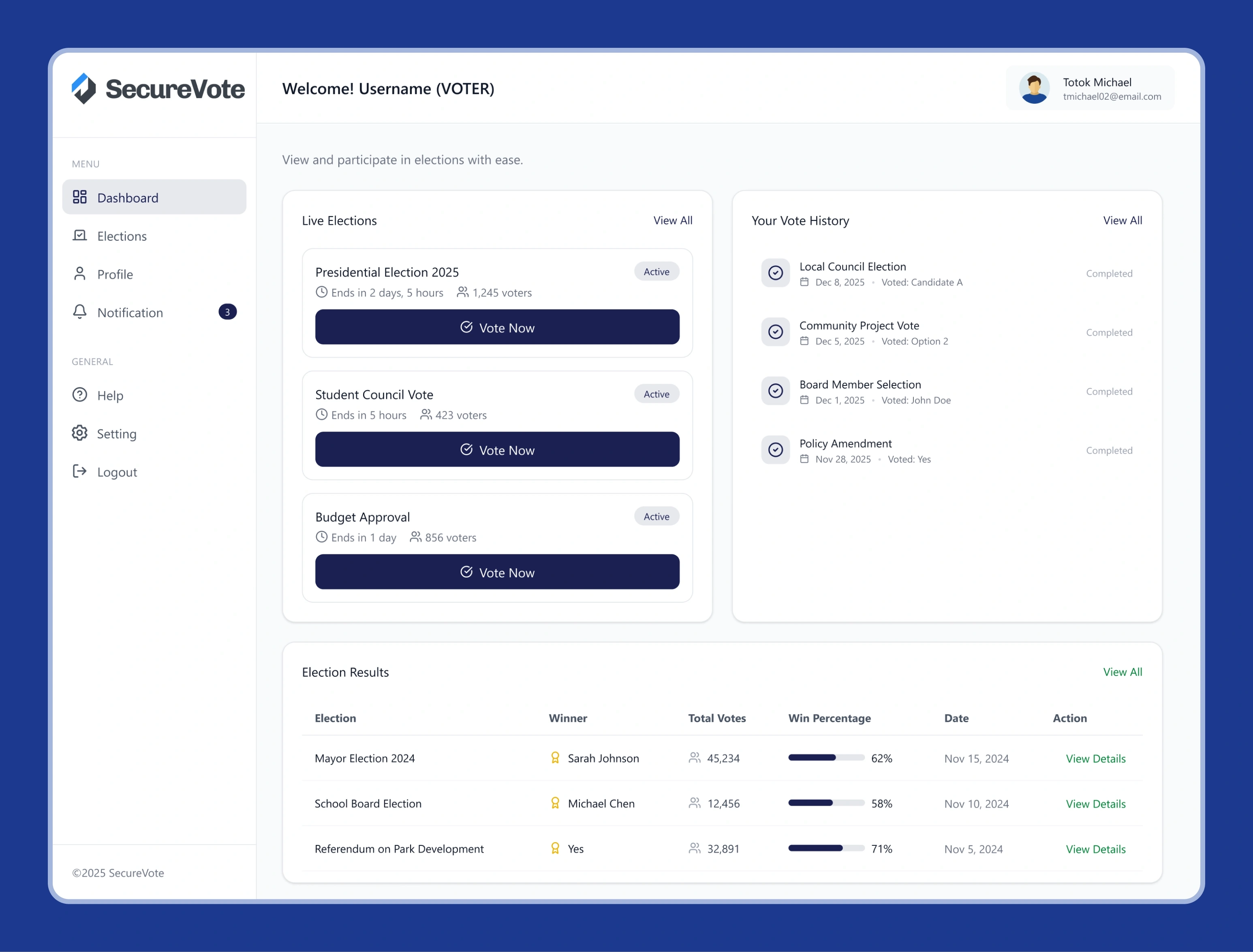
Voter Dashboard

The voter dashboard was designed around three immediate questions:

  1. Are there elections I can participate in?
  2. Is there an active election right now?
  3. What have I already participated in?

The dashboard groups information into:

  • Upcoming Elections
  • Live Elections
  • Vote History

This gives the user a quick overview without requiring them to navigate through multiple pages first.

SecureVote voter dashboard showing live elections, vote history and election results
Voter dashboard · live elections, vote history and past results in one view

Administrator Dashboard

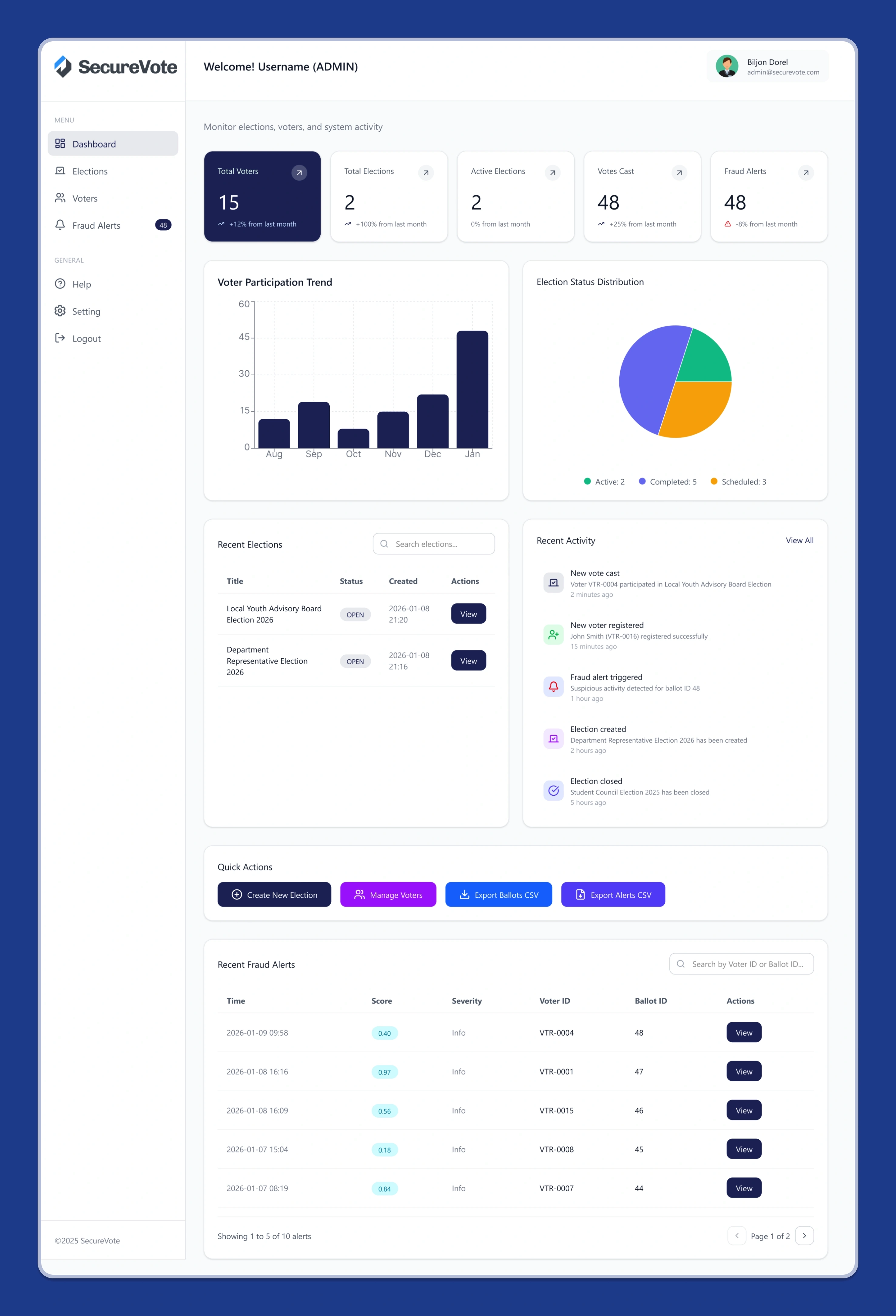
The administrator dashboard prioritizes monitoring.

Key information includes:

  • Total voters
  • Total elections
  • Active elections
  • Votes cast
  • Fraud alerts
  • Recent elections

The fraud-alert section provides administrators with suspicious activity and associated risk scores, creating a starting point for investigation.

SecureVote administrator dashboard with system totals, participation charts, recent activity and a fraud alert table
Administrator dashboard · system totals, activity and the fraud-alert table

Design direction

The admin interface intentionally presents more information than the voter interface because administrators are managing the overall election rather than completing a single task.

Fraud Detection & UX

Fraud detection is one of the technically distinctive parts of SecureVote.

After a vote is cast, the system evaluates activity using:

  • Rule-based scoring
  • Isolation Forest anomaly detection
  • A combined risk score

If the resulting score exceeds a threshold, a fraud alert is created for administrator review.

Why this matters for UX

The system does not simply expose the underlying machine-learning process to administrators.

Instead, the interface surfaces the result of the analysis as an actionable alert.

This creates a useful separation:

Complex detection happens in the system.

Decision-making stays with the administrator.

Visual Design

The interface uses a dark blue and purple visual direction with high-contrast cards and clear primary actions.

The visual language was chosen to support the product's intended qualities:

  • Security
  • Reliability
  • Modern technology
  • Trust

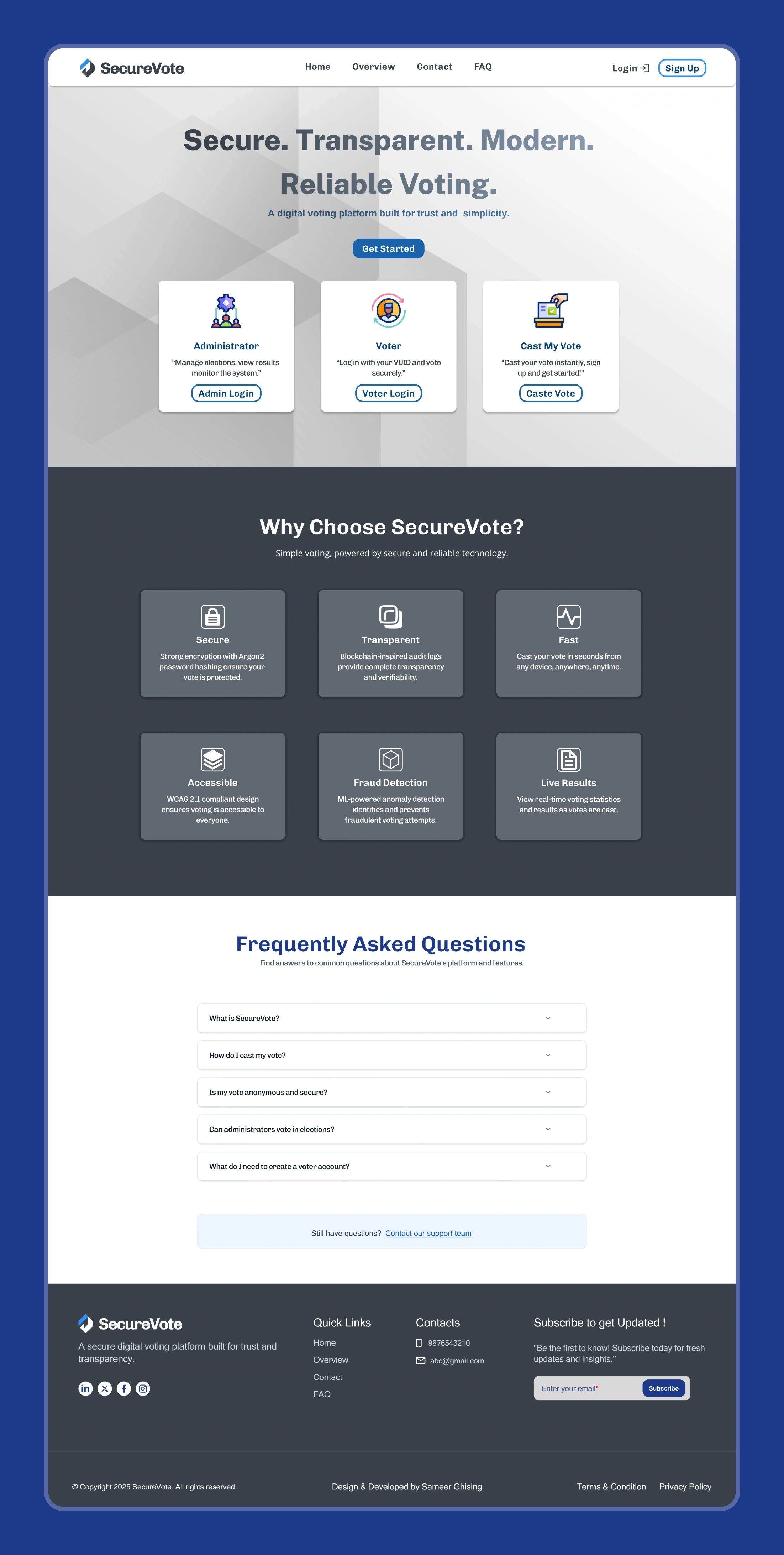
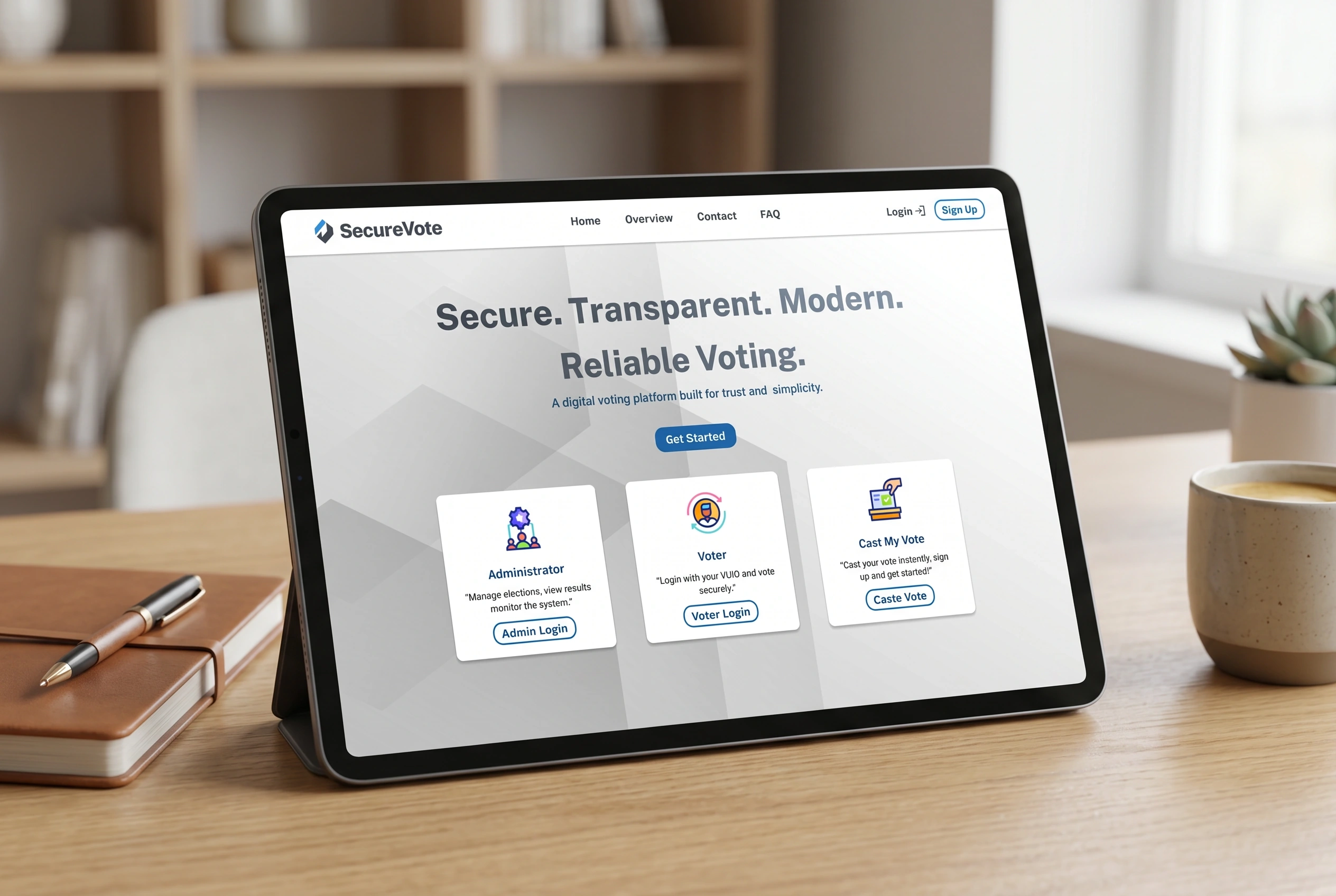
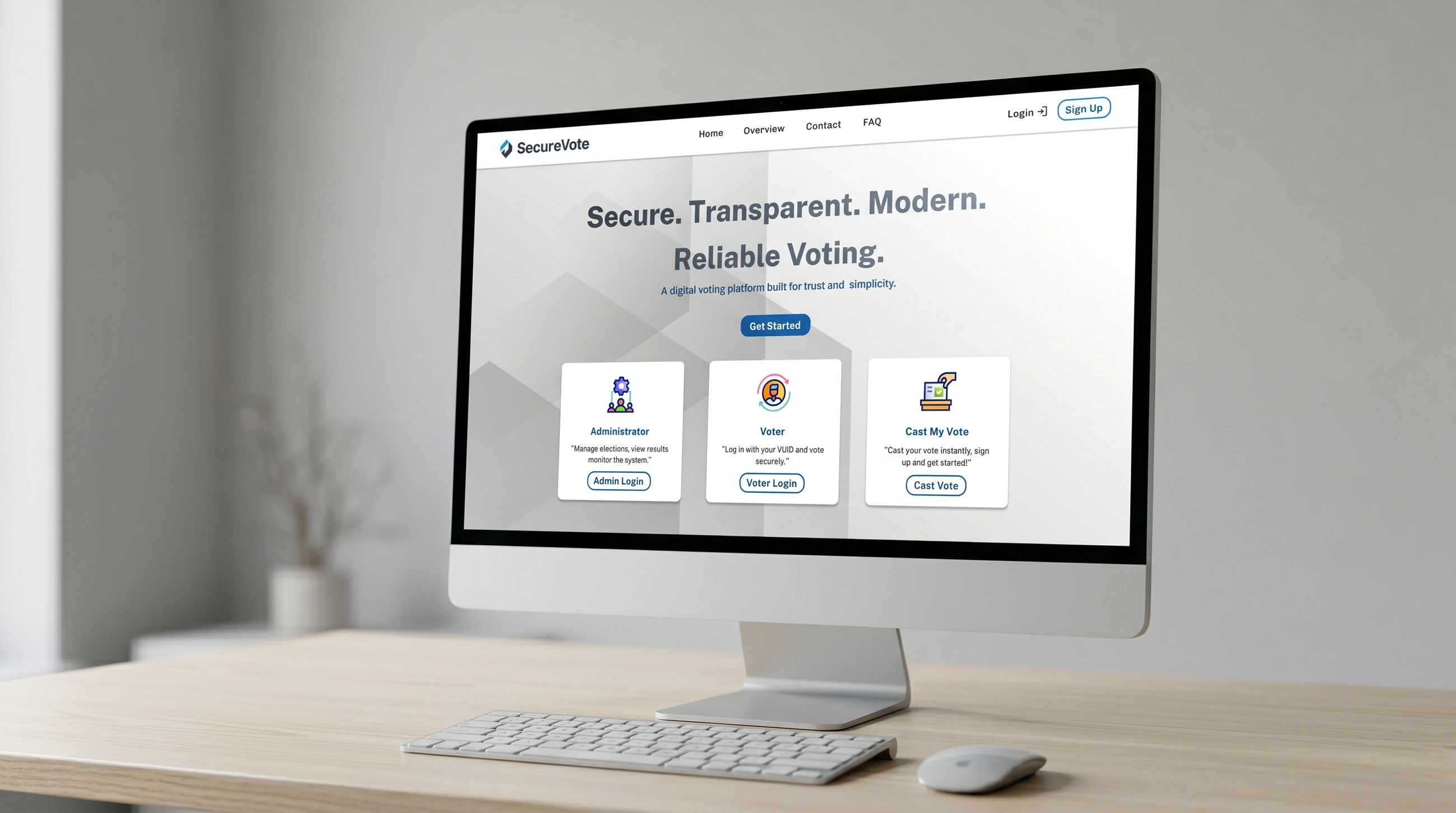
Landing page

The landing experience provides three clear entry points:

  1. Administrator
  2. Voter
  3. Cast My Vote

This immediately communicates who can use the platform and where each user should go.

SecureVote landing page with three entry-point cards, a feature section and an FAQ
Landing page · three entry points above the fold, then reassurance and FAQ

Design system direction

The interface consistently uses:

  • Card-based content grouping
  • Clear navigation
  • High-contrast primary actions
  • Status indicators
  • Structured tables for administrative information

Security as Part of the Experience

Security was not treated only as a backend implementation detail.

Several security mechanisms directly affect the interface:

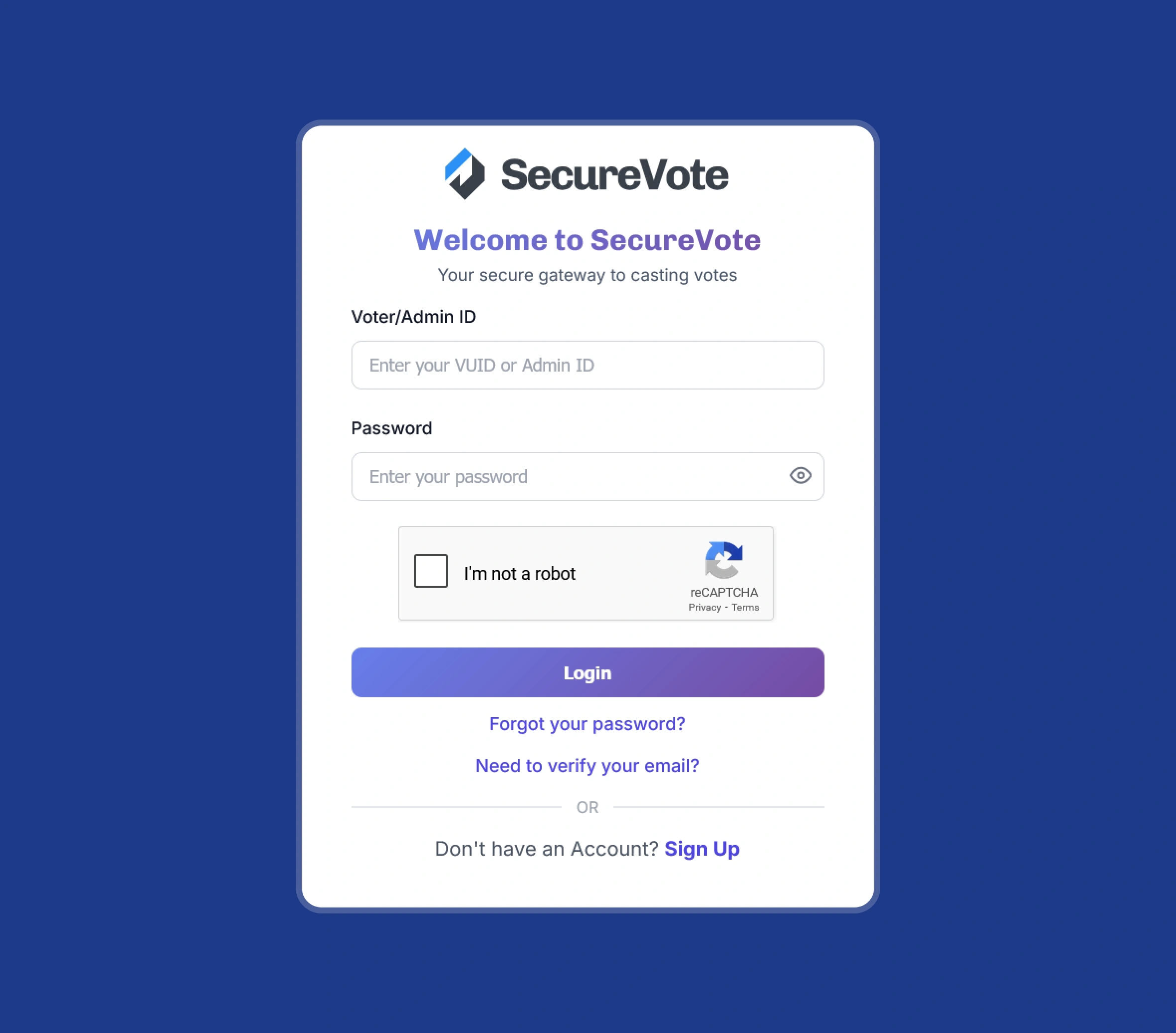
  • reCAPTCHA during authentication
  • Identity re-verification before voting
  • Duplicate-vote prevention
  • Password recovery
  • Role-based access
  • Audit logging

The key UX challenge was to introduce these controls without unnecessarily interrupting the core task.

The voting experience therefore keeps most security processing behind the scenes and introduces explicit verification at the point where it matters most: before vote submission.

SecureVote login screen
Login
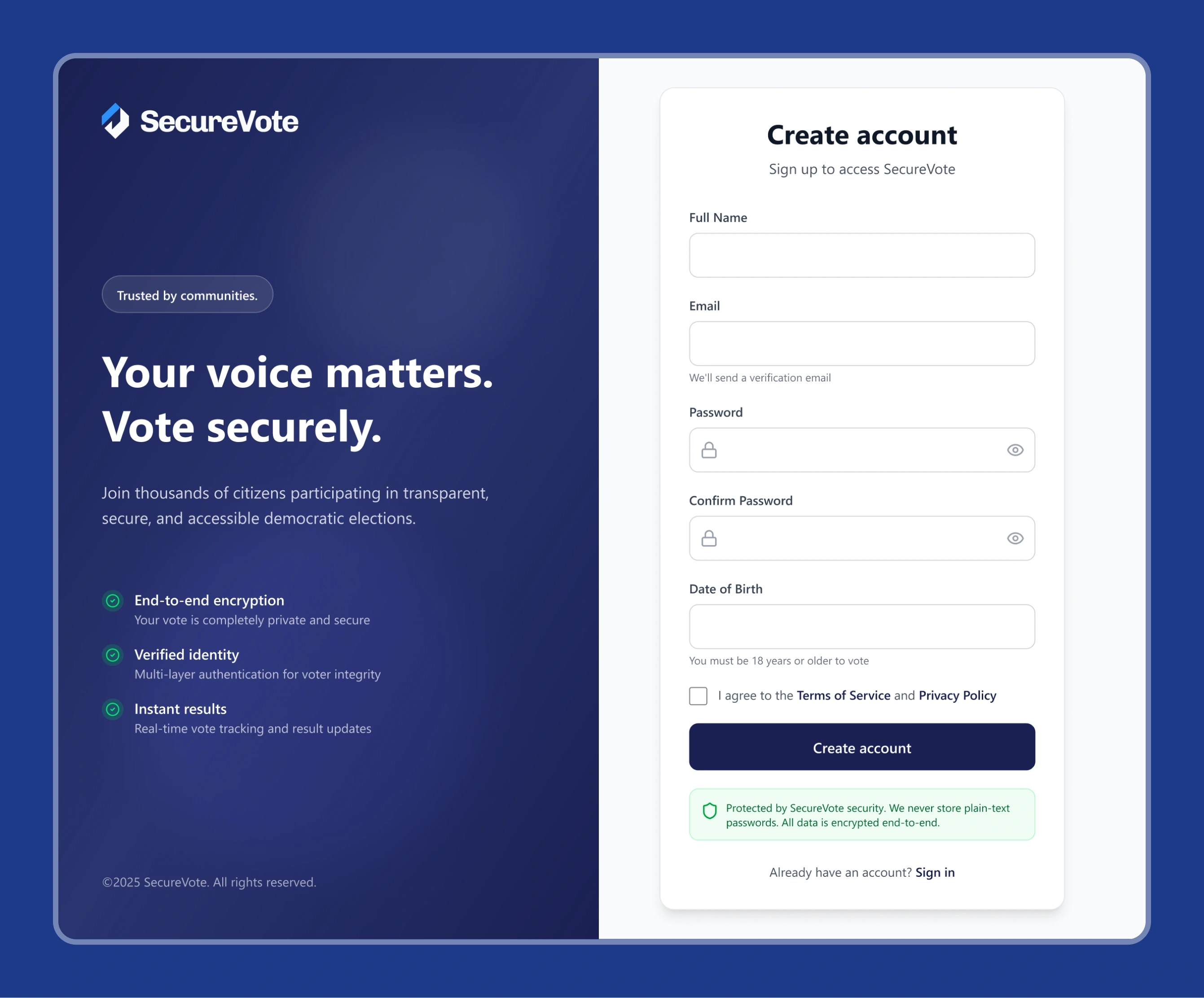
SecureVote sign-up screen
Sign-up

Implementation

Although this is primarily a UI/UX case study, SecureVote was also implemented as a working academic prototype.

Technology

  • Frontend

    • HTML5
    • CSS3
    • JavaScript
    • Jinja2 templates
  • Backend

    • Python 3.11
    • Flask 3.0
  • Database

    • SQLite
    • SQLAlchemy
    • Alembic
  • Machine Learning

    • Scikit-learn
    • Isolation Forest
    • NumPy
    • Pandas
  • Security & integrations

    • Argon2id
    • Flask-WTF
    • Google reCAPTCHA
    • FingerprintJS
    • IP-API
    • SMTP email service

The implementation followed an MVC-style Flask architecture with modular components for authentication, elections, voting, fraud detection, auditing, and profiles.

Testing

Testing was performed throughout development.

The project included unit and system testing across:

  • Authentication
  • Election creation
  • Voter eligibility
  • Duplicate-vote prevention
  • Fraud scoring
  • Audit-chain integrity
  • Voting
  • Results
  • Password reset

Key scenarios tested

  • Cast vote

    Select election → choose candidate → verify identity → submit → confirmation

  • Duplicate vote

    Attempt to vote in the same election twice → vote rejected

  • Fraud detection

    Simulated rapid voting activity from the same IP → fraud alert generated

The testing results showed that the planned core functionality was working as expected.

Outcome

The final prototype successfully brought together the main product experiences:

  • Public landing page
  • Authentication
  • Voter dashboard
  • Election participation
  • Vote confirmation
  • Administrator dashboard
  • Fraud monitoring
  • Results visualization
  • Data export

Testing confirmed that authentication, role-based access, duplicate-vote prevention, fraud alerts, audit logging, and core voting functionality worked as intended.

For me, the project was valuable because it required thinking about the interface and the underlying system together rather than treating UI as a visual layer added at the end.

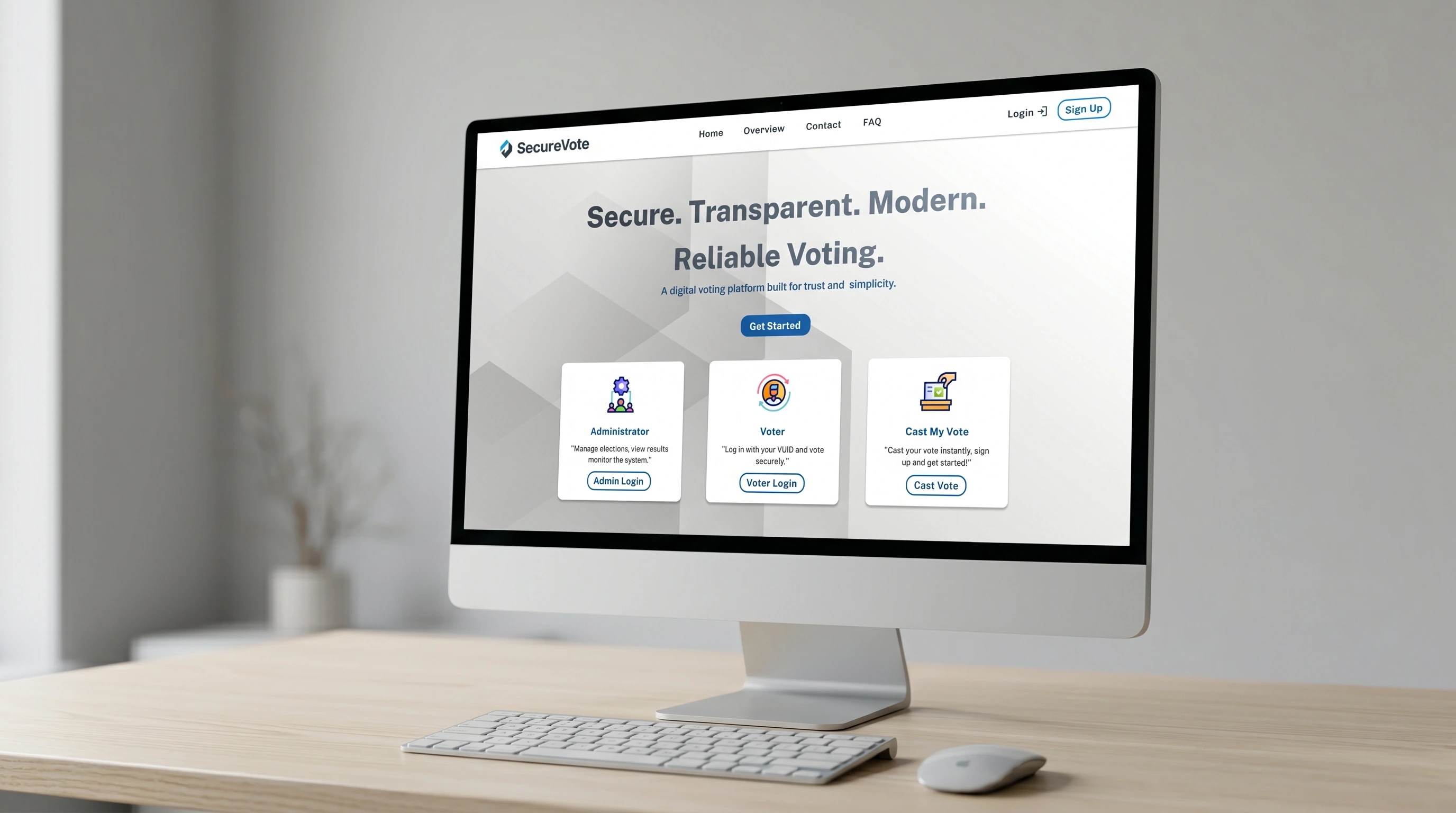
SecureVote landing page shown on a desktop monitor
The landing page in context
SecureVote shown on a tablet
Tablet
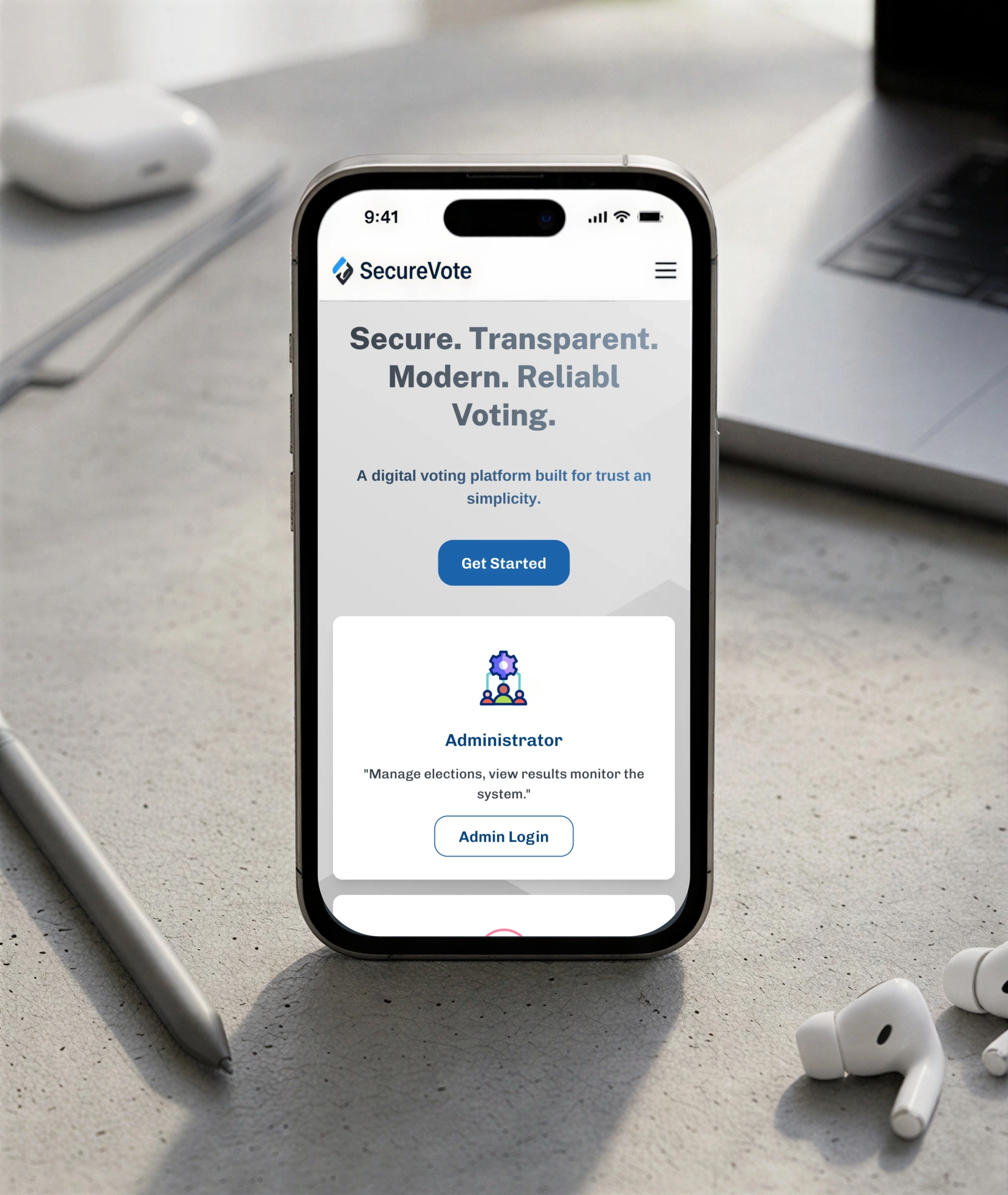
SecureVote shown on a phone
Mobile

What I Learned

  • Security changes UX

    Security-sensitive products cannot simply add verification steps without considering how those steps affect user confidence and task completion.

  • Different users need different levels of information

    A voter needs clarity and confidence. An administrator needs visibility, context, and control.

  • Technical complexity should not automatically become interface complexity

    The fraud-detection system uses multiple technical processes, but the administrator primarily needs a clear alert and useful information for investigation.

  • Designing while developing improves feasibility

    Because I worked on both the UI/UX and implementation, I had to consider technical constraints while making design decisions.

Limitations

SecureVote was scoped for small-to-medium institutional, organizational, and community elections rather than national-scale elections.

The project also has several known limitations:

  • SQLite is not intended for very large elections.
  • Biometric verification is not implemented.
  • The system depends on stable internet connectivity.
  • Fraud detection may not identify every sophisticated manipulation attempt.
  • Dedicated administrator-side voter management still needs improvement.
  • Large-scale national election deployment was outside the project's scope.

These limitations helped define where the product could realistically be used at this stage.

Future Improvements

Based on the project limitations, the next design and product improvements would include:

  • Mobile-first voting experience

    Improve touch targets, navigation, readability, and page performance for smartphone users.

  • Better voter management

    Give administrators a dedicated interface for reviewing and managing voters, particularly when fraud alerts require investigation.

  • Two-factor authentication

    Add optional 2FA, particularly for administrator accounts.

  • Improved fraud analysis

    Provide administrators with more context around why an activity was flagged rather than showing only a risk score.

  • Scalable infrastructure

    Move from SQLite to PostgreSQL for larger-scale concurrent voting.

Final Takeaway

SecureVote was a final-year academic project exploring how usability, security, and transparency could work together in a digital voting platform.

My main focus was not simply to make the interface look modern. It was to structure the experience around the different needs of voters and administrators, simplify the critical voting journey, and make security-related interactions understandable.

The final result was a functional academic prototype combining UI/UX design, web development, security, auditability, and machine-learning-assisted fraud detection.

Project Snapshot

Project
SecureVote
Type
Final Year Academic Project
Role
UI/UX Designer & Developer
Platform
Web
Users
Voters & Administrators
Focus
Secure Digital Voting
Key UX Areas
Voting, Dashboards, Verification, Fraud Monitoring
Key Technologies
Flask, JavaScript, SQLite, Scikit-learn
Methodology
Agile / Iterative Development